



The Architect’s Guide to IT: Tools That Maximize Billable Hours
Architects live and die by billable hours. Every hour your team spends waiting on a slow model to render, troubleshooting network issues, or hunting for a missing file is an hour you can't bill, and an hour project deadlines inch closer.
The right IT environment eliminates those bottlenecks, giving architects confidence that their workflows are smooth and dependable.
At Navious, we work with architecture firms across Metro Atlanta to build tailored technology systems that support productivity, project delivery, and profitability-regardless of your firm's size or project scope. The goal is simple: give your team the right tools so they can stay focused on design, not dealing with IT headaches.
Below is the architect's guide to specific IT tools and strategies-such as automated backups, network optimization, and CAD hardware upgrades-that directly protect billable hours and keep projects moving.
1. High-Performance, CAD-Ready Workstations
Your workstation is your architect's most important tool. Yet too many firms unknowingly use gaming PCs or consumer-grade hardware that appears fast but isn't built for CAD, BIM, and rendering workloads. Navious regularly sees these setups cause:
Application crashes
Slow model renders
Glitchy or unsupported GPU drivers
Lost work due to instability
This isn't just about hardware preference; it's about giving IT managers peace of mind that designers won't face delays or crashes that erode productivity.
A proper workstation should include:
Professional-grade graphics drivers compatible with CAD/BIM
Fast NVMe storage for large project files
Sufficient RAM for multi-GB models
Reliable cooling and power delivery for all-day rendering
A small investment upfront in future-proof hardware and optimized workflows can prevent years of productivity loss, saving your firm money and increasing profitability over time.
2. BIM & CAD Workflow Optimization
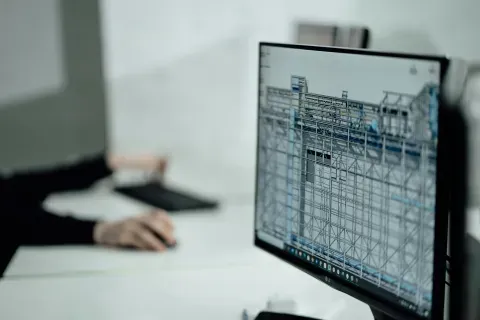
Architecture firms rely heavily on platforms like AutoCAD, ArchiCAD, Bluebeam, and BIM cloud environments. These workflows demand more than powerful hardware, they require properly configured networks, storage, and version control.
When BIM environments are slow or unstable, teams experience:
File corruption
Sync delays
Version conflicts
Rework from outdated models
Navious designs BIM-ready environments that support fast model access, reliable WAN performance for remote collaborators, and clear version management so teams never overwrite each other's work.
This level of workflow stability directly protects billable hours, every avoided error or rework cycle is reclaimed time.
3. Fast, Symmetrical Internet for Remote Collaboration
Architects regularly collaborate with remote staff, consultants, or contractors. Large CAD/BIM files don't play well on slow or asymmetrical home-grade internet. High-speed, symmetrical bandwidth prevents:
Upload bottlenecks
Lag during cloud model syncing
Delays when sharing large drawing sets
Navious helps firms select and configure business-grade internet that keeps cloud workflows smooth, whether your team is in the office, on-site, or working remotely.
4. Reliable Backup & Data Protection (Your Safety Net)
Few things threaten billable hours, and client trust, more than losing project files.
Architects are rightfully anxious about:
Ransomware
Corrupted BIM models
Hardware failure
Accidental deletions
Navious takes a cybersecurity-first approach, so architects and decision-makers can feel confident that their project data is protected from threats and disruptions.
A strong backup strategy includes:
Automated, versioned backups of all project data
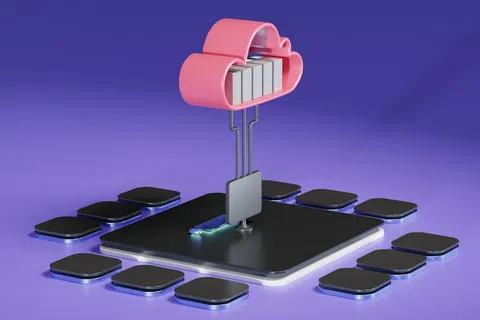
Off-site and cloud redundancy
Rapid restore capabilities so work resumes quickly
Clients rely on architects to protect their drawings, documentation, and revisions. A resilient backup system strengthens that trust.
5. Proactive Cybersecurity & Zero-Downtime Planning
Cybersecurity incidents don't just threaten data, they shut down operations. And downtime is the enemy of billable hours.
Architects need:
Endpoint protection
Multi-factor authentication
Compliance alignement (HIPAA, GDPR, PCI, CIS)
24/7 monitoring
Clear disaster recovery plans
Navious' business impact analysis identifies the systems most critical to maintaining productivity and designs a framework to keep them running, even during an outage.
Firms that skip cybersecurity often end up paying far more in lost productivity than they ever would have spent on prevention.
6. An IT Partner Who Knows the AEC Industry
The biggest differentiator isn't the hardware or software, it's having an IT partner who understands:
How architects work
How CAD, BIM, Bluebeam, and rendering tools behave
How billable hours drive profitability
How to plan technology around growth
Architects are highly technical at a consumer level, but not always familiar with business-grade IT best practices. Navious fills that gap as a trusted, strategic partner, not just a help desk.
That means:
Helping you choose the correct workstations
Designing CAD/BIM-ready networks
Planning for the next 3-5 years, not reacting to emergencies
Responding quickly when issues do arise (3.5-minute average response time)
When IT is aligned with your business objectives, everything becomes more efficient—from project delivery to client communication.
Better IT = More Billable Hours
For architecture firms, IT isn't just overhead, it's a revenue engine.
When your tools are fast, stable, secure, and designed specifically for AEC workflows, your team can do more of what they're best at:
Designing, collaborating, and delivering client work on time.
Navious helps Metro Atlanta architecture firms move from reactive, patchwork IT to a future-proof, productivity-focused environment. If you're ready to reduce downtime, protect your projects, and empower your team to bill more hours with less frustration, we're here to help.
Click here or call 470-598-5197 to schedule your complimentary 15-Minute Discovery Call

Recent Articles

Compliance Gaps Costing You Thousands